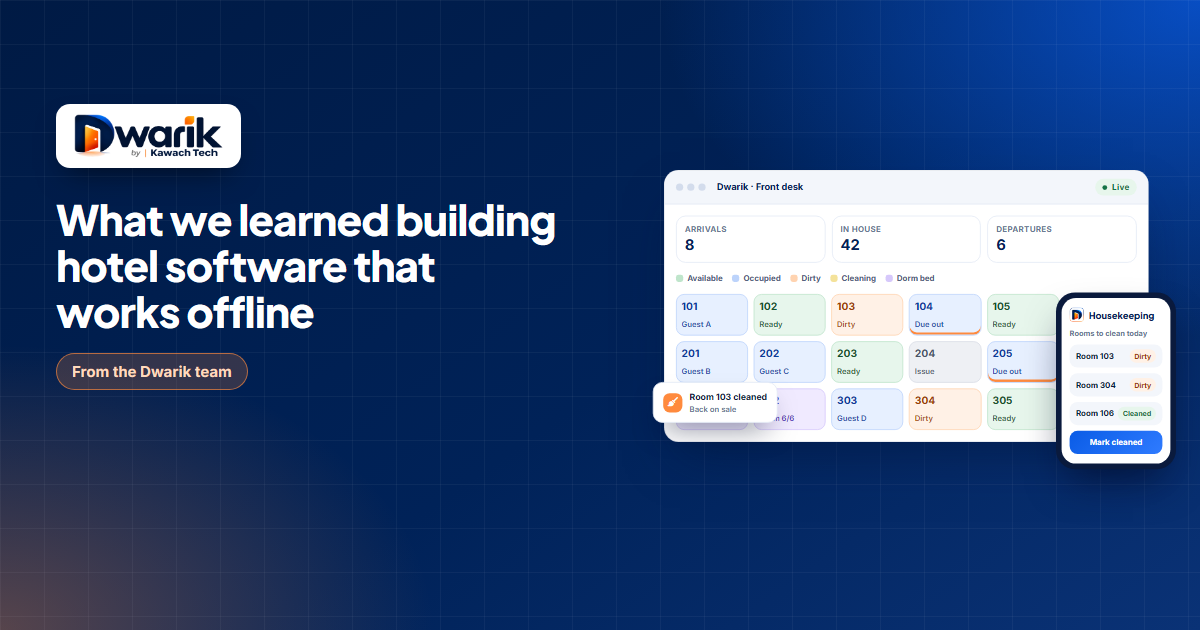
Picture a Friday evening at a small hotel. Eight rooms are about to check in, the restaurant is filling up, and the internet goes out. It happens more often than anyone admits. The router resets, the provider has a fault, or a storm somewhere upstream decides the evening. Whatever the reason, the receptionist is now looking at a screen that says it cannot connect, and a queue of tired guests with their luggage.
We have thought about that receptionist a lot over the last year. She is the reason Dwarik, the hotel management platform we have been building at Kawach Technology, starts at the front desk and not at the dashboard. This is the story of how that decision shaped everything else, and what we got wrong and right along the way.
Why we built it in the first place
Many of us at Kawach travel, and in hotel after hotel we noticed the same pattern. A property with a restaurant runs its rooms on one application and its kitchen on another. Billing, staff and reports live somewhere else again. Each tool is fine at its own job, but nobody gets one screen that shows how the whole business is doing.
It gets harder when an owner runs more than one kind of property. A hotel, a dormitory and a restaurant under one name often mean three tools, three logins and three sets of numbers, and no single dashboard for the whole ecosystem. A dormitory owner told us plainly that he could not manage his dormitory properly because his business also had a hotel, and the software treated the two as separate worlds. That conversation stayed with us.
So the goal was never to build a better room booking screen. It was to build one portal where a hotel owner can run rooms, beds, restaurant, billing, staff and reports together, and see the whole picture on one dashboard.
Start with the worst five minutes of the day
Most software is designed around the best case. Everything is connected, every field is filled in, and nobody is in a hurry. Hotels do not work like that. The hardest five minutes of the day are the ones where three things happen at once: a group arrives, a phone rings with a booking, and something breaks.
So we wrote down what reception must be able to do when everything else has failed. Check a guest in. Take a booking. Post a charge to a room. Print or share a bill. That short list became the first thing we built, and the rule we held ourselves to was simple. If the internet is gone, none of those four things may stop.
Why a web page was not enough
The obvious route was to make the web app cache a few screens and call it offline. We tried that on paper first and did not trust it. A browser tab can be closed, a cache can be cleared, and a half saved booking is worse than no booking at all, because someone believes it exists.
We went with a proper Windows desktop application for the front desk instead. We built it with Tauri, Rust and C++, mainly because reception computers are often older machines and we wanted something small and dependable that does not eat memory in the background. The work done at the desk is kept safely on the machine. When the connection comes back, it synchronises by itself and nobody has to retype anything.
One more thing we decided early. A lot of hotel tools can keep working without internet for two, three or maybe five days, and then they want the connection back. We did not want the length of an outage to be a rule at all. The desktop front desk is built to keep running for as long as it takes, whether that is a few hours or many days, weeks or even months, and to catch up when the internet returns. A hotel in a remote place should not have to plan its business around a cable.
The web app, the Android app and the iOS app cover everyone else, from the owner checking numbers on a phone to the housekeeper marking a room clean. They all read and write the same data, so a change made anywhere shows up everywhere. We use PHP, Laravel, Python and FastAPI on the server side, React for the web, React Native for the phones, and JWT for signing in on mobile. The exact split matters less than the principle: one product team, one set of rules, four kinds of screen.
Selling a bed is not the same as selling a room
When we talked to owners of hostels and dharamshalas, the same complaint came up almost word for word. Their software only understood rooms. To sell a bed they invented fake rooms, or kept a notebook on the side, or both.
A bed has its own price, its own booking, its own bill and its own cleaning status. A group of six people wants six beds in the same dormitory, and either all six should be booked or none of them. A female dorm should not quietly fill with a mixed group. So the dormitory module in Dwarik treats a bed as a first class thing. You can add bunks and lockers, book a group in one go, and take bed bookings straight from the hotel website. Under the hood a stay is still a stay, which means check in, payments, GST invoices, night audit and housekeeping all work the same way they do for a private room.
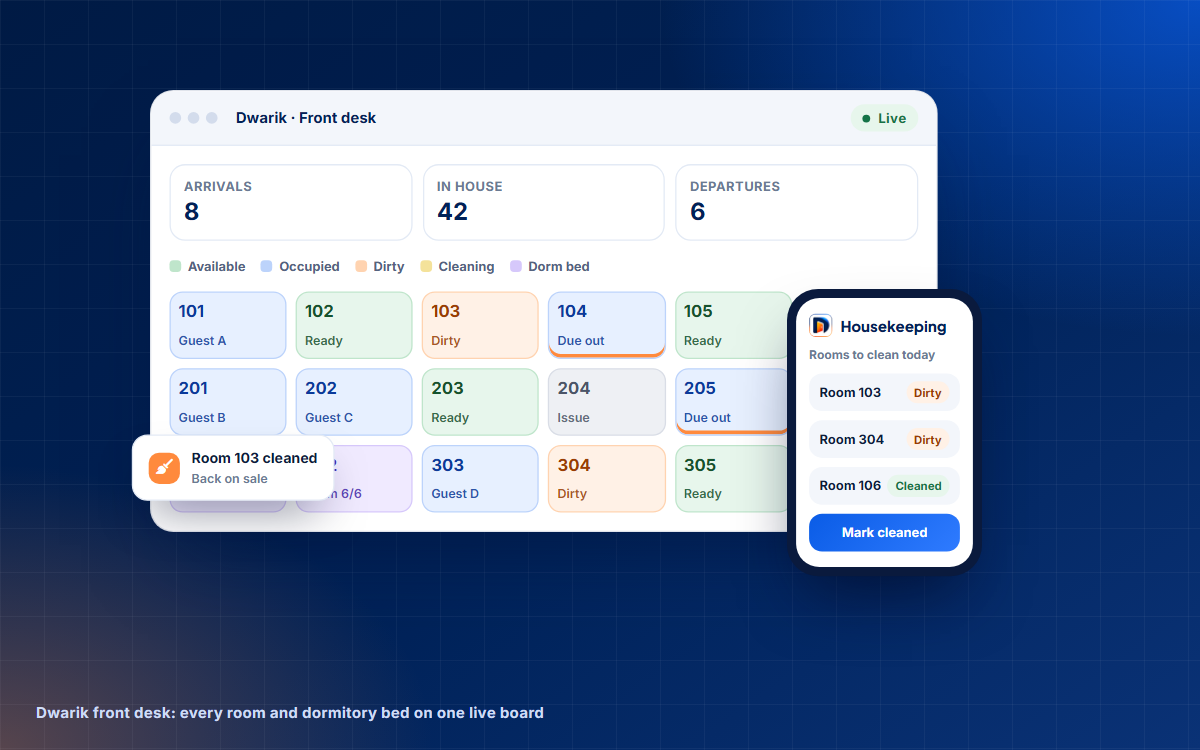
The same design helped a group we had not planned for at first: hotels that also run a dormitory. Owners told us they ended up on two tools, one for the hotel and one for the beds. In Dwarik rooms and beds live on one board, share billing, housekeeping and staff, and show up in the same reports.
GST is a feature, not a report
For hotels in India, tax is not something you work out at month end. It is on every invoice. Room tariffs and restaurant food carry different rates, invoices need your GSTIN, and the numbers have to run in sequence. In Dwarik an invoice is created automatically when a guest checks out, from the settled bill, and the numbers follow the Indian financial year. They restart every April, which sounds like a small detail until you have lived without it.
Foreign guests bring another requirement, the Form C record. We capture the ID details and Form C information at check in, in the same screen where the receptionist verifies the guest. If the data is entered once, at the right moment, it is much more likely to be correct.
Payments follow the same thinking. A receptionist can take cash, UPI, card or a bank transfer, or send a Razorpay link and let the guest pay from their phone. Each property connects its own Razorpay account, so the money goes straight to the owner, and the bill updates itself when the payment lands. Card and UPI details go to Razorpay and never touch Dwarik.
Online travel calendars: what they can and cannot do
This is the part where we decided to be plain with customers. Dwarik syncs calendars with Airbnb, Booking.com, MakeMyTrip, Goibibo, Agoda, Expedia and most channel tools, and the sync runs every fifteen minutes. That works well for most properties.
But a calendar link can only say that a room type is free or full. It cannot say how many are left. With a fifteen minute gap, two sites can sell the last room before either one hears about the other. For a dormitory it is trickier still, because most sites only see it as full once every bed is taken. We put these limits in the help guide instead of hiding them, because the owner who knows about them will keep a spare room or a buffer, and the owner who does not will find out on a busy weekend.
A kitchen screen that decides what to cook first
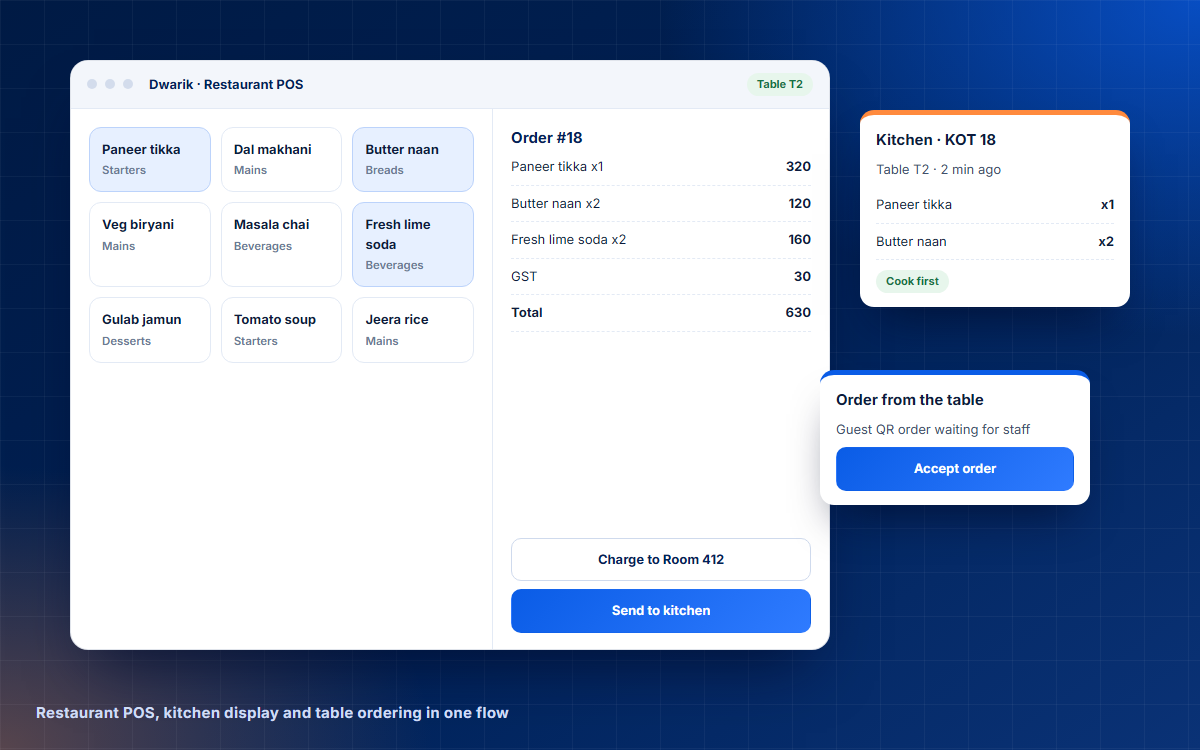
Hotels with a restaurant usually run two systems that never meet. Dwarik puts the point of sale and the kitchen on one stream. A waiter or a cashier takes the order, and each dish goes to where it is made, so the food goes to the kitchen and the drinks go to the bar. Guests can also order from their own phone by scanning a QR code, and staff accept the order before anything is cooked.
We then added what we call Smart Kitchen Priority. The kitchen screen works out which ticket to start first and plans each burner, so that all the plates for one table are ready at about the same time. Anyone who has watched a table of four wait while the main course for one person gets cold will see why we bothered. When a guest is staying at the hotel, the bill can be posted straight to their room, which saves a trip to the front desk on checkout day.
One dashboard for the whole business
Once the pieces shared one set of data, a bigger idea became possible. An owner with a hotel, a dormitory and a restaurant can keep all three under one login and switch between them in one click. The analytics cover the whole group on one dashboard, so the answer to "how are we doing?" does not depend on adding up three exports.
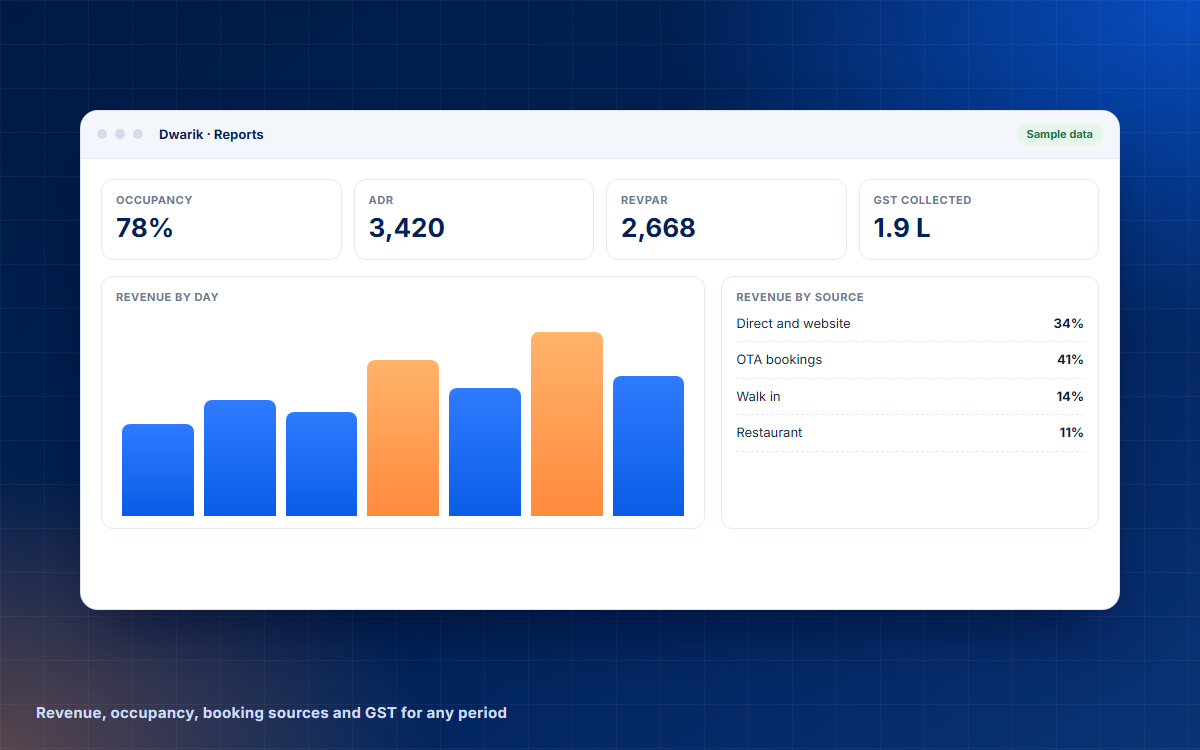
Reports come every day. Revenue, occupancy, ADR and RevPAR, booking sources, restaurant sales and GST are there each morning, not at month end when it is too late to change anything. That is the part owners reacted to most when we showed them early screens.
People problems are software problems
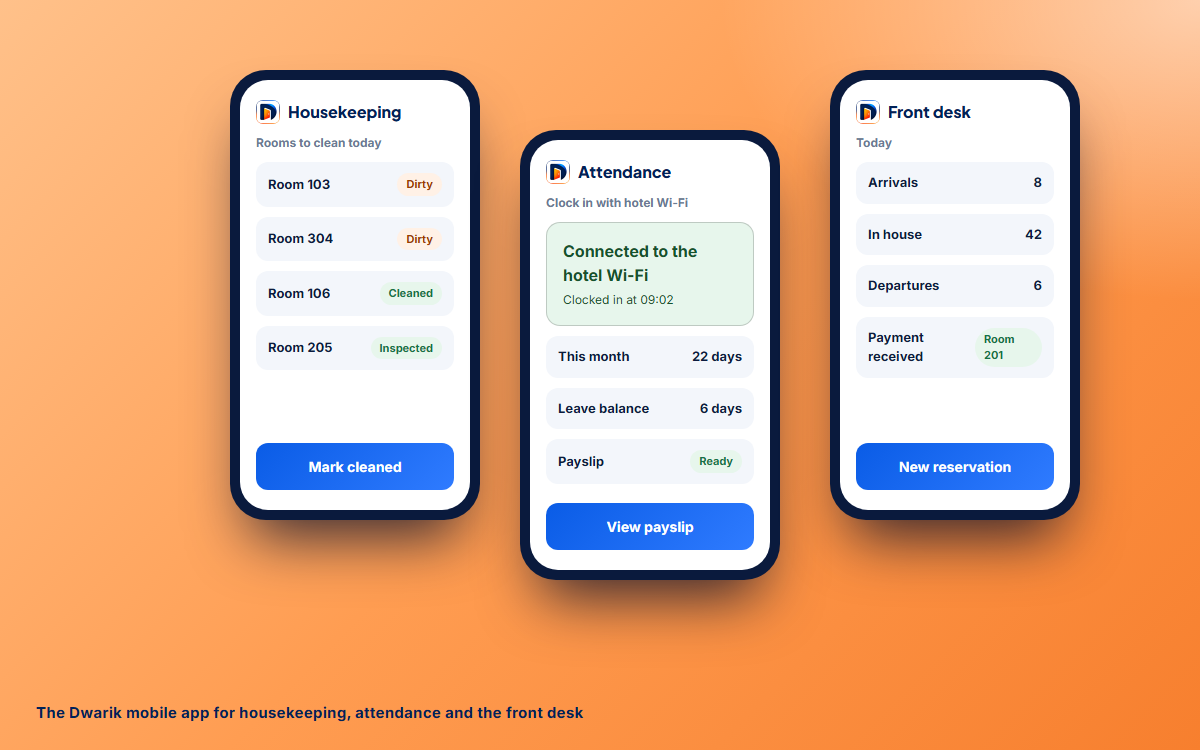
Staff attendance sounds boring until you try to run payroll from a paper sheet. We let people clock in on the hotel Wi-Fi, by location, or by scanning a QR code on a screen at the desk that changes every few seconds, so nobody can photograph it and send it to a friend. Leave requests, shifts and the roster live in the same place, and payroll is prepared from attendance, with a note on the payslip for any bonus or advance.
Housekeeping uses the same phones. When a guest checks out, the room goes to housekeeping by itself. The housekeeper starts cleaning from the phone, takes a photo of the finished room if the owner requires one, and the room turns green on the front desk board a moment later. Nobody shouts across the building, and the receptionist knows exactly which room is ready.
Trust, without making everyone's life harder
A hotel system holds guest IDs, payments and salaries, so we treated access as a core feature. Every sign in takes two steps. Owners enter a code from an authenticator app or an email, and staff wait while the owner approves the sign in from their own phone. A stolen password on its own gets nobody anywhere. Eight built in roles decide what each person sees, you can create custom roles on top, and a full activity trail records who did what and when. The owner also chooses who gets notified about bookings, payments and rooms, and which roles may take sensitive actions.
The mobile app can be locked with a fingerprint, a face or a PIN, which matters more than it sounds. Phones get left on the front desk.
What we would tell another team building for hotels
- Design for the bad day first. If the front desk survives an outage, the quiet days take care of themselves.
- Model the property once. Rooms, beds, tables, shifts and rates should live in one shared model, or the systems will slowly disagree.
- Be honest about limits. Calendar sync, for example, has edges. Say so in the guide, not in an apology email.
- Put compliance where the work happens. A GST invoice created at checkout is better than a report built later.
- Do not make owners choose between tools. If one owner runs a hotel, a dormitory and a restaurant, give them one login and one dashboard.
- Let people switch off what they do not use. A small guest house and a resort should not see the same menus, and switching a module off should never delete anything.
Where Dwarik stands today
Dwarik is almost ready and we are launching it now. Bookings are open for hotels in India and Nepal, and many hotels have already contacted us and reserved their launch slots. We onboard every property personally. We import your rooms, rate plans, guests and upcoming bookings from your old system or a spreadsheet, train each team on the screens they will use, and stay on call while you switch over, usually on a quiet day. Most single properties are running within a day.
The platform includes the front desk, reservations, guest records, housekeeping, dormitories, online travel calendars, restaurant POS, kitchen display, QR ordering, inventory, billing, payment links, a hotel website, reviews, reports, staff roles, attendance, payroll and alerts. You can see all of it, with screens, on the Dwarik page, or read the longer Dwarik case study. If you run a hotel, a resort, a homestay, a hostel or a dormitory, or all of them together, and want a slot, you can reserve one at dwarik.com.
And if you are building a product of your own and want a team that has done this across web, mobile and desktop, that is what we do at Kawach Technology. You can tell us about it here.

Be the first to comment.